
The Horizon Design System (HDS) is a powerful resource when building custom UI components in ServiceNow. It provides a rich set of foundational UI elements buttons, inputs, activity streams, and more so you don’t have to reinvent the wheel.
However, there’s a significant catch: the versions of HDS components published to the public NPM registry are behind the versions that actually run on a ServiceNow instance.
The Problem: Public NPM Packages Are Out of Date
For example, the latest version of @servicenow/now-button available on the public NPM registry is 19.8.2-ecd, published over five years ago. By comparison, a Zurich Patch 4 instance includes @servicenow/now-button at version 28.4.1.
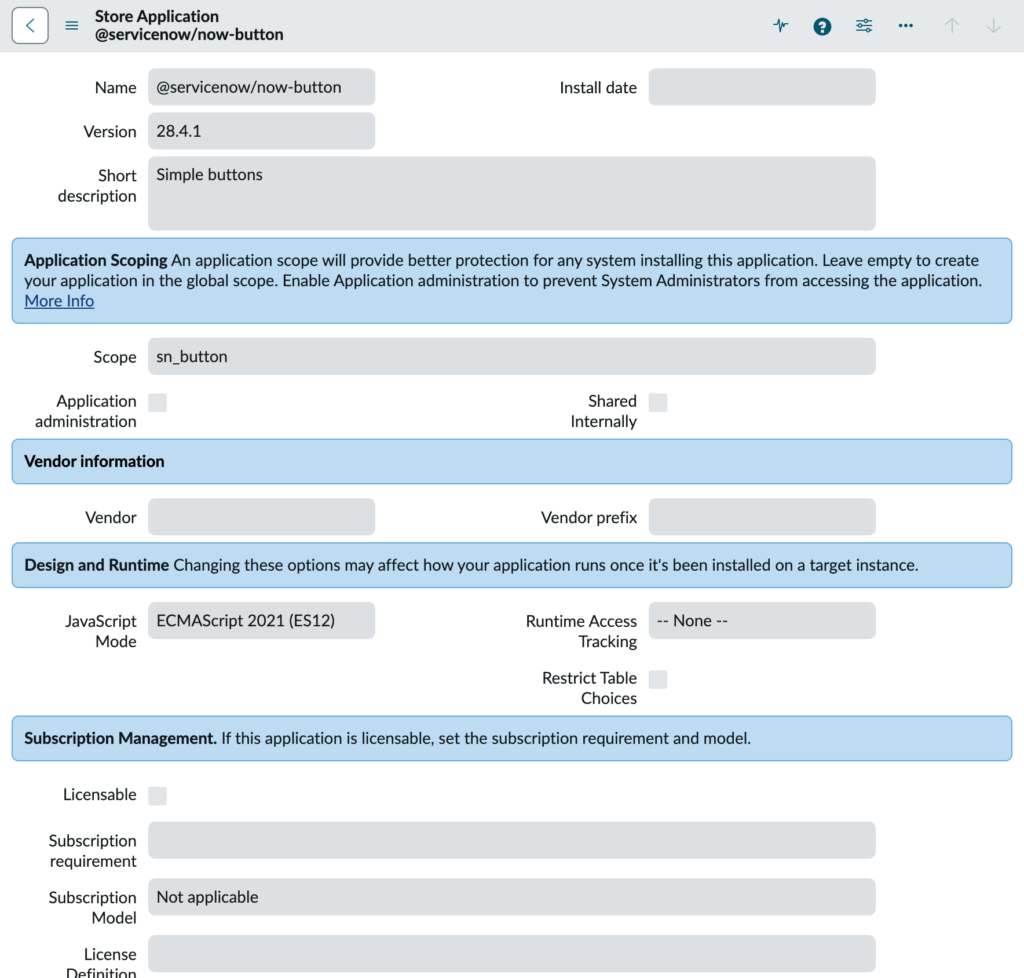
This version gap applies to all core Horizon Design System components, and it can significantly limit their usefulness when building modern custom components.
In practice, the versions running on an instance often include:
- Additional theme variables
- New or improved component properties
- Extra events and behaviors
All of these improvements make the components more pleasant – and sometimes far easier – to work with.
Components That Aren’t Published at All
It gets worse: some Horizon Design System components aren’t published to the public NPM registry at all.
For example, now-activity-stream-connected appears in the Horizon Design System documentation, but does not exist on the public registry. At first glance, it can seem like the only way to use it is directly within UI Builder, with no obvious path to using it in your own custom components.
Fortunately, there is a way.
The --fetch-assets-from-instance Flag
The ServiceNow CLI’s ui-component extension includes a powerful flag called:
--fetch-assets-from-instance
(Shorthand: --fa)
This flag is available on both the develop and deploy commands and allows package imports to be resolved directly from your ServiceNow instance, rather than from your local node_modules folder.
What’s a Package Import?
A package import is the statement at the top of your component’s JavaScript file that pulls in a dependency. For example:
import '@servicenow/now-button';
This single import gives you access to all components provided by that package, including:
now-buttonnow-button-barenow-button-statefulnow-button-circularnow-button-iconic
How It Works Under the Hood
When you run the develop or deploy commands, webpack scans your import statements and attempts to resolve them as packages.
When --fetch-assets-from-instance is enabled:
- The CLI first checks whether the package exists on the connected ServiceNow instance.
- If it exists, the package is not bundled locally.
- Instead, the import is rewritten as an external reference pointing to a relative URL at the
/uxassetpath. - If the package does not exist on the instance, resolution falls back to the local
node_modulesfolder.
For example, this import:
import '@servicenow/now-button';
Is transformed into something conceptually similar to:
import '/uxasset/externals/@servicenow/now-button/index.jsdbx';
(The exact path will differ, but this illustrates the idea. I discuss more about this /uxasset path in my previous post about using Next Experience components inside Service Portal widgets.)
When running develop, the CLI also sets up a proxy so that requests to /uxasset on your local dev server are transparently fetched from the connected instance. This means your component works the same way locally and when deployed, as the relative URL always resolves no matter if it’s running locally or on the ServiceNow instance.
Why I Use Runtime Shims for ui-core and snabbdom
One important exception to the above is the component runtime itself.
In practice, I found that the ServiceNow CLI’s ui-component extension still wants to introduce direct local imports for @servicenow/ui-core and @servicenow/ui-renderer-snabbdom when they are not already present. That is not what we want here, especially if I am trying to use newer instance-provided UI components that may not line up cleanly with the older runtime packages published to the public NPM registry.
The added complication is that, on the instance, these runtime APIs are not exposed in quite the same way they appear in local component projects. Rather than being consumed as separate packages such as @servicenow/ui-core and @servicenow/ui-renderer-snabbdom, they are bundled together under @servicenow/ui-mega.
That means this is not just a matter of replacing one import path with another. My component source still expects the familiar createCustomElement and createElement APIs, but on the instance those APIs are surfaced from a single bundled package. To bridge that mismatch, I use tiny local shims that re-export only the pieces I need from @servicenow/ui-mega.
For example, I use one shim for the core runtime:
import {servicenowUiCore} from '@servicenow/ui-mega';

export const {createCustomElement} = servicenowUiCore;
And another for the Snabbdom renderer:
import {servicenowUiRendererSnabbdom} from '@servicenow/ui-mega';

export const {createElement} = servicenowUiRendererSnabbdom;
export default servicenowUiRendererSnabbdom.default || servicenowUiRendererSnabbdom;
With those in place, my actual component code imports from local runtime files instead of directly from the package names the CLI wants to manage:
import {createCustomElement} from '../runtime/ui-core';
import snabbdom from '../runtime/snabbdom';
import view from './view';
import styles from './styles.scss';
And in the view layer:
import {createElement} from '../runtime/snabbdom';
import '@servicenow/now-card';
For modern Horizon components such as @servicenow/now-card or @servicenow/now-activity-stream, I do want normal package imports, because those are exactly what --fetch-assets-from-instance can resolve from the instance.
For the component runtime itself, I do not want direct imports from @servicenow/ui-core or @servicenow/ui-renderer-snabbdom scattered throughout my source tree. I want that dependency isolated behind a local abstraction so the CLI does not keep reintroducing the older standalone runtime package names, and so I have a single place to adapt to how the instance actually exposes those APIs through @servicenow/ui-mega.
In short, I use package imports for modern instance-backed UI components, but I use local shims for the component runtime so I can control that dependency explicitly.
Importing a Modern HDS Component
Let’s say you want to use the modern version of @servicenow/now-button from your instance instead of the outdated public NPM version.
From your component project, start development mode with:
snc ui-component develop --fa
Then, in your component’s JavaScript file, simply add:
import '@servicenow/now-button';
There’s no need to run npm install. The package will be fetched directly from your instance.
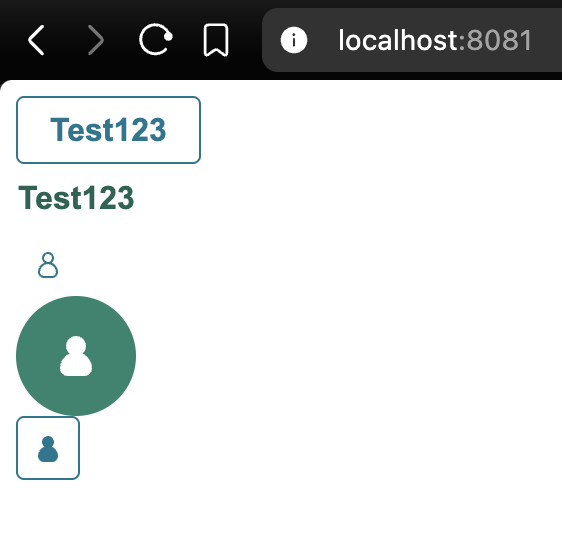
That’s it – you can now use the same now-button components that exist on your instance.
Discovering More Available Components
Some packages, like @servicenow/now-button, are obvious because they exist on the public registry. Others are only discoverable by inspecting what’s available on your instance.
To see a full list of UI components and the packages they belong to, visit the following path on your instance:
/sys_ux_lib_component_list.do
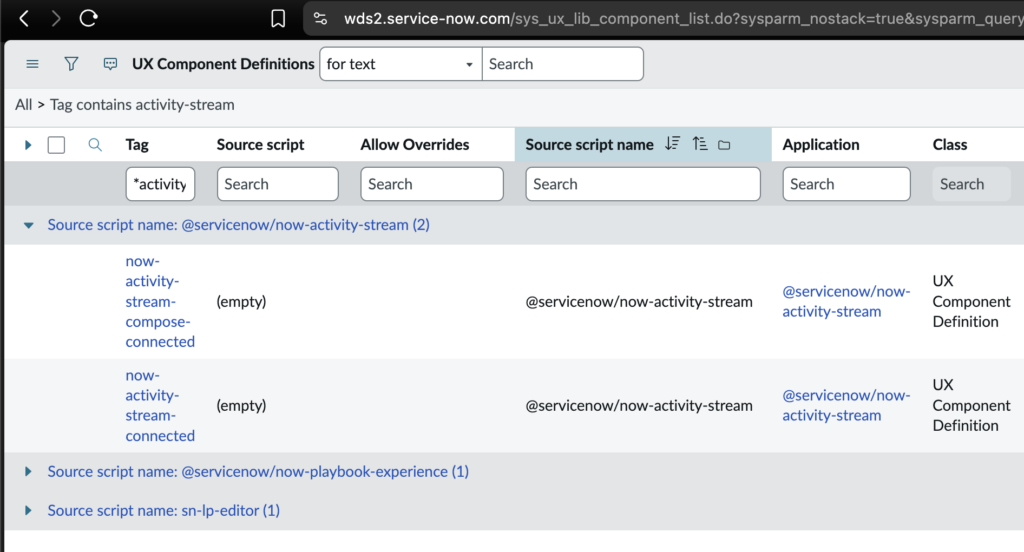
This page shows:
- Individual component tags (in the Tag field)
- The package they belong to (in the Source script name field)
Example: Activity Stream Components
A great example is the @servicenow/now-activity-stream package, which contains:
now-activity-stream-connectednow-activity-stream-compose-connected
Both are part of the Horizon Design System and usable in UI Builder, yet neither is published to the public NPM registry.
Using --fetch-assets-from-instance, you can use them in your own custom components.
First, run develop or deploy with --fa, then import the package:
import '@servicenow/now-activity-stream';
The important detail is that I still do not import the component runtime directly from @servicenow/ui-core or @servicenow/ui-renderer-snabbdom inside the component source. As described above, I keep those behind local shims so that the runtime surface stays consistent with how the instance exposes it through @servicenow/ui-mega.
A simplified example looks like this:
import {createCustomElement} from '../runtime/ui-core';
import snabbdom from '../runtime/snabbdom';
import view from './view';
import styles from './styles.scss';
import '@servicenow/now-activity-stream';

createCustomElement('x-example-activity-stream', {
    renderer: {type: snabbdom},
    view,
    styles
});
And then in the view:
import {createElement} from '../runtime/snabbdom';

const view = () => (
    <div>
        <now-activity-stream-connected
            table="incident"
            sys_id="8e9bb3f9b701701094bb21208e11a9ab"
            title="Activity"
        ></now-activity-stream-connected>
    </div>
);

export default view;
This is the pattern I have found works best:
- import modern UI component packages such as
@servicenow/now-activity-streamnormally, so the CLI can resolve them from the instance - import the component runtime through local shim files, so the CLI does not keep reintroducing direct imports for the older standalone runtime packages
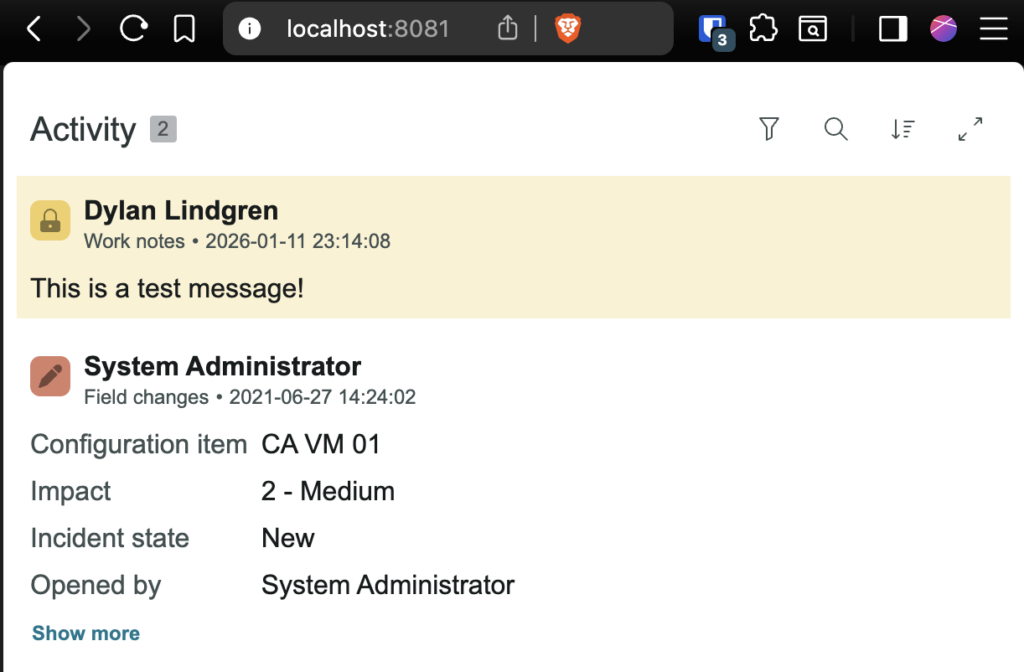
Your custom component now includes a fully functional ServiceNow activity stream while keeping the runtime dependency isolated behind a small compatibility layer.
Risks and Trade-offs
This technique is powerful, but it does come with risks.
While --fetch-assets-from-instance is an official part of the ServiceNow CLI, many of these components are not officially supported outside their intended contexts (such as UI Builder).
For example, the Activity Stream components are officially supported only when used via UI Builder. If a breaking change is introduced, ServiceNow can seamlessly update how UI Builder uses them during an upgrade.
Your custom component, however, is invisible to that process.
That means:
- You are responsible for testing these components during upgrades
- Breaking changes may require manual fixes
- There is no public compatibility contract for these internal components
This approach is best suited for internal applications and teams that can tolerate and manage this maintenance risk.
Conclusion
The --fetch-assets-from-instance flag unlocks access to the same modern Horizon Design System components that ServiceNow itself uses far beyond what’s available on the public NPM registry.
Used thoughtfully, it allows you to build richer, more consistent custom UI components while avoiding unnecessary duplication of UI logic.
If you’re building custom components, I’d strongly recommend experimenting with this approach.
Feel free to leave a comment below – are you using custom components today? What’s been your experience with the ServiceNow UI development workflow?